PAYMENT TEXTS · THE STRIPE CONNECTION
By Peter · 23 September 2026 · 9 min read
Link verification code text: why it arrived, and what to check.
You may recognize the service you paid for without recognizing the name sending you a security code. Link can sit behind that checkout. The question is what triggered the message, and whether anyone is asking you to do something with it.
A Link verification code can be a genuine message from Stripe’s payment wallet. Link says an unexpected code may relate to a remembered device or an incorrectly entered phone number. The text alone does not prove a charge or account takeover. Do not share the code. If you did not start the request, check Link independently rather than following instructions in the message.
Basis: Link’s explanation of unexpected codes and Stripe’s explanation of Link. Already shared a code? Go to the steps to secure your account.
Link is the payment name behind a familiar checkout
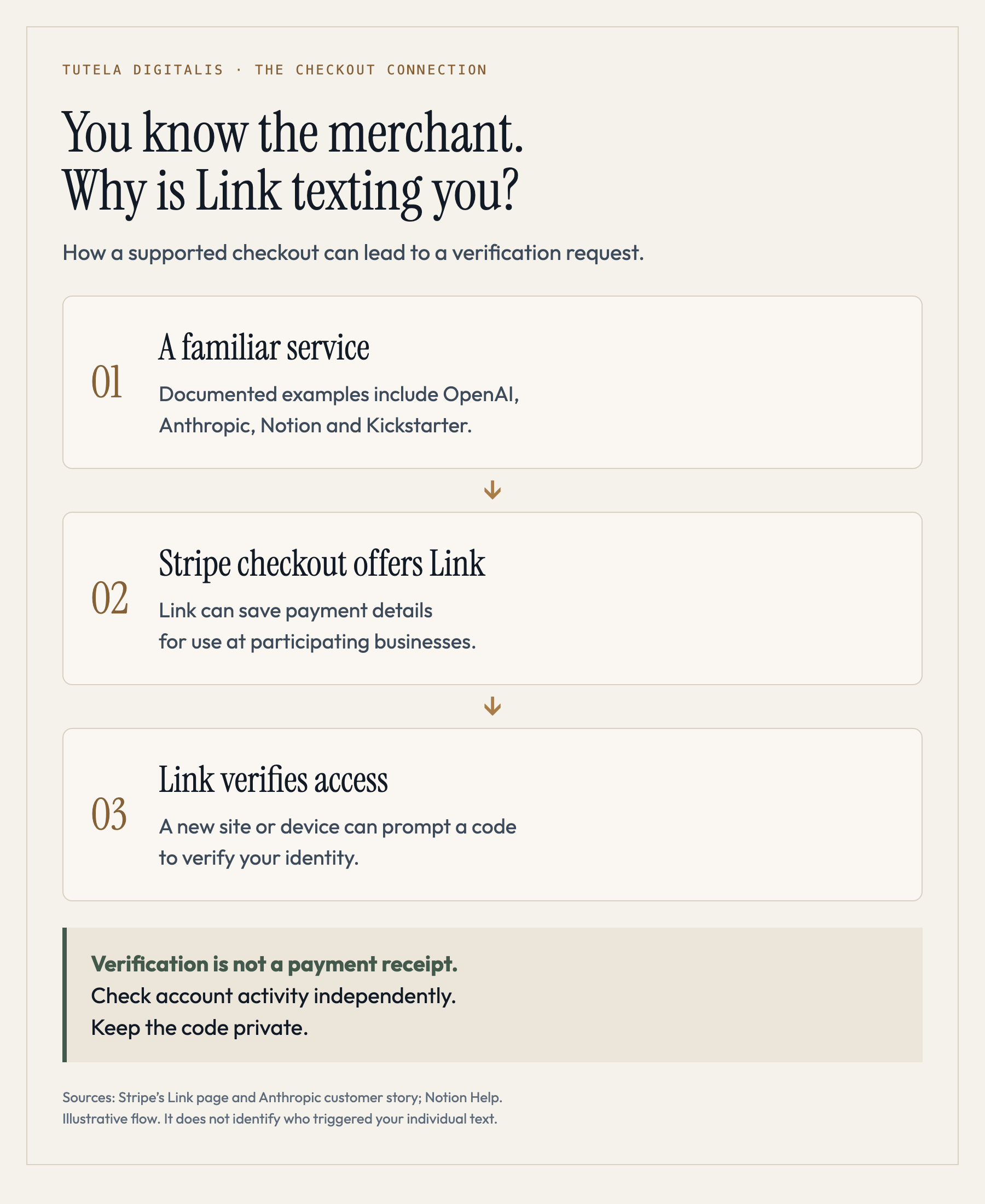
Stripe describes Link as a way to save payment information and use it again at participating businesses. When a customer uses Link on a new site or device, verification can involve a one-time SMS code. You can therefore encounter Link while paying another company, without visiting Link’s website first.
These businesses document their use of Link:
| Service | What the primary source confirms |
|---|---|
| ChatGPT / OpenAI | Stripe’s ChatGPT Plus example describes integrating Link alongside its other payment products. |
| Claude / Anthropic | Stripe’s Anthropic customer story confirms Link for checkout using saved cards or US bank accounts. |
| Notion | Notion’s own help page lists Stripe Link for saved-card payments on the web. |
| Kickstarter | Stripe’s Kickstarter example documents Link use for payments. |
That explains how you might know the merchant and still find “Link” unfamiliar. It does not establish which merchant triggered your message. Using ChatGPT, Claude or Notion is not, by itself, evidence that you enrolled in Link.
An unexpected code tells you less than you think
Link’s own help page gives two explanations worth checking: you may be remembered on another device where you used Link, or someone may have entered your phone number by mistake. Stripe’s separate page about Stripe-branded verification texts also connects those messages to saved Link information and incorrectly entered numbers.
These possibilities are why “you received a code, therefore someone has your password” is a bad diagnosis. A verification request and a successful sign-in are different events. So are a sign-in and a completed purchase. The text does not show you the whole sequence.
Equally, a plausible innocent explanation is not proof that everything is fine. Use the account checks below if the message is unexplained or keeps arriving. Receiving a text also does not establish that someone controls your handset; the distinction matters in what someone can do with your phone number.
Choose the response that matches what actually happened
This decision guide combines Link’s documented verification and security processes with the FTC’s warning about callers seeking verification codes. It does not classify a particular SMS as genuine.
Check purchases and logins separately
Open Link’s official website yourself, or type link.com into your browser. If you sign in to check, you may trigger a fresh verification request of your own. Use only the flow you have deliberately opened.
- Review purchases in Activity. Look for transactions you do not recognize, and compare them with your bank or card account. An unfamiliar merchant name deserves checking; a code alone is not a receipt.
- Review Settings → Login Activity. This is the separate check for previous account logins. Purchase history and login history answer different questions.
- End remembered sessions if needed. Link’s published route is Settings → Log Out → Log out of all devices. You will need to authenticate again when you next use Link.
Account sections: Link’s security instructions. Signing out: Link’s logout instructions.
If you cannot access an account, use official Link support. You do not need to create a new payment profile or add a card merely to respond to an unsolicited text.
A genuine code does not authenticate the person asking for it
The FTC’s warning about financial impersonation explains the mechanism: someone who obtains your verification code may use it to impersonate you. The attacker does not need every part of the encounter to be fake. A real security message can supply credibility to a dishonest caller.
“Never share a verification code. Ever.”
My rule here is simple: judge the request, not the caller’s explanation. A person who asks you to hand over a sign-in code is asking you to surrender part of the sign-in process. Calling it a cancellation, a refund or a safety check does not change what you are handing over.
This is the same trust problem described in how phishing steals account access. If the message actually claims to be a bank fraud alert, use the bank-text verification guide; a bank alert and a Link checkout code are different message types.
If you already shared the code, secure the account now
End contact with the person who requested it. If you already see an unauthorized payment, contact your bank or card issuer immediately; do not wait to finish every account check.
- Contact Link through its official support site. Explain that you shared a verification code and whether you also entered a password, supplied payment details or found an unfamiliar purchase.
- Check activity, saved passkeys and remembered devices. In Settings → Security → Passkeys, review saved passkeys. If one is unfamiliar, follow Link’s instructions to check activity and remove it; removal also logs you out of all devices. Otherwise, use the logout route above to end remembered sessions. If you cannot sign in, tell support.
- If you find an unauthorized transaction, contact the financial institution. Use its app or the number on your card or statement. Ask it to secure the affected payment method and explain the dispute process.
- Secure the email account linked to Link if compromise is suspected. Link recommends resetting its password and enabling two-factor authentication after a fraudulent attack, because email access may be involved.
These steps follow Link’s suspicious-activity guidance and device logout procedure. They reduce exposure; they do not promise a refund.
For an unauthorized credit-card charge, the next question is how to dispute the credit-card transaction. An unsolicited code alone is not a reason to file a payment dispute. If someone later demands an upfront fee to recover money, see the warning signs of recovery scams.
Stopping texts and cancelling a subscription are separate jobs
There are several controls, each with a different purpose:
- Log out of all devices to stop those devices being remembered. This does not promise to prevent every future request involving your number.
- Remove saved information if you no longer want it stored. Link’s current instructions place payment methods in Wallet and account deletion in Settings.
- Consider a passkey for your own sign-ins. Link supports passkeys under Settings → Security → Passkeys where the device and browser support them. This is an alternative authentication method, not a guarantee that unsolicited SMS will stop.
- Check the SMS opt-out limitation first. Link says opting out prevents use of Link for one-click checkout. Its generic opt-out page may not identify your number; if it does not, use official support rather than trusting an unfamiliar SMS link.
If your goal is to cancel a subscription, confirm cancellation separately. Do not treat clearing saved details as a cancellation receipt. Link directs ordinary subscription changes to the business, reachable through Recurring → Contact Business. For subscriptions specifically marked “Sold through Link,” it says management and cancellation are available within Recurring. Check which arrangement you have before assuming the next charge has stopped.
Three names that can otherwise send you to the wrong help page
Stripe verification: Stripe’s support page explicitly connects some Stripe-branded texts to Link. The wording does not automatically mean you have a Stripe business account. Start with the service and action you recognize.
Plaid Link: this is a different product. Plaid’s documentation describes an interface for connecting financial accounts to applications. Instructions for a Stripe Link wallet are not a substitute for Plaid’s account-connection guidance.
Onelink: Stripe’s UK product page uses Onelink branding. That is relevant to readers seeing that name; it is not proof that a specific Onelink text is authentic.
Recognizing Stripe can resolve the mystery of the name. It cannot resolve the safety of a stranger’s request. Keep the code private, and check the account through a route you chose.
Questions people ask about Link verification texts
Is Link a real company, or does it just mean a link in the text?
Link is a real payment product built by Stripe. It lets customers save and reuse payment details at participating businesses. In this context, Link is a brand name, not a description of a clickable URL. That establishes that the service exists; it does not authenticate a particular message or anyone calling about it.
Why did I get a Link code if I have never made a Link account?
You may remember the business you paid without remembering saving details with Link at checkout. Link also identifies a remembered device or someone entering your phone number by mistake as possible explanations for an unexpected message. Those explanations are possibilities, not a diagnosis of your text. Do not use an unsolicited code; check independently if concerned.
Does a Link verification code mean someone charged my card?
The code alone does not establish that a payment was completed. Link uses verification to authenticate customers; it is not a receipt. Check purchases in Link's Activity section and your card or bank account independently. If you find a transaction you did not authorize, contact the financial institution using its app or the number on your card or statement.
Can a Link verification text be connected to ChatGPT, Claude or Notion?
Yes, there are documented connections: Stripe describes Link use at OpenAI and Anthropic, and Notion explicitly lists Stripe Link as a payment option on the web. These integrations explain where a customer might encounter Link. They do not establish which business triggered a particular text, and simply using one of those services does not prove you have saved details with Link.
An unexpected caller asked for my Link code. Should I give it to them?
Do not read it out, forward it or enter it on a page the caller directs you to. End the call and open the service independently. A code may be genuine while the person requesting it is an impersonator. If you already shared it, contact Link through its official support site and follow the account-security steps above.
Need help understanding what happened after a suspicious call or payment? You can request a free case review. Do not include passwords, verification codes or full card details. For account access or an active unauthorized payment, contact Link and your financial institution first.
Sources checked for this guide
Primary sources checked on 23 September 2026. Merchant integrations explain possible encounters with Link; they cannot identify the origin of your individual message. Account menus and support instructions can change.